




How to Update Existing Commercial Holiday Decor: Keep, Verify, Replace, or Add
A practical way to update commercial holiday decor is not to begin with a new-product list. Start with the display your mall or hotel already owns, decide which guest-facing roles still matter, and separate four outcomes: keep, verify, replace and add.
This approach protects elements that still support the next-season concept while preventing an old photograph, label or memory from becoming proof that an item remains suitable. It also keeps additions focused on a real gap instead of turning a refresh into an unplanned full replacement.
You need current photographs, the known identity of each major element, its intended role next season, the records already available and the questions that remain unanswered. This is a buyer-owned review. It does not diagnose faults, establish remaining service life, approve safety or tell a supplier to repair an item.
Start with the Experience You Want to Preserve
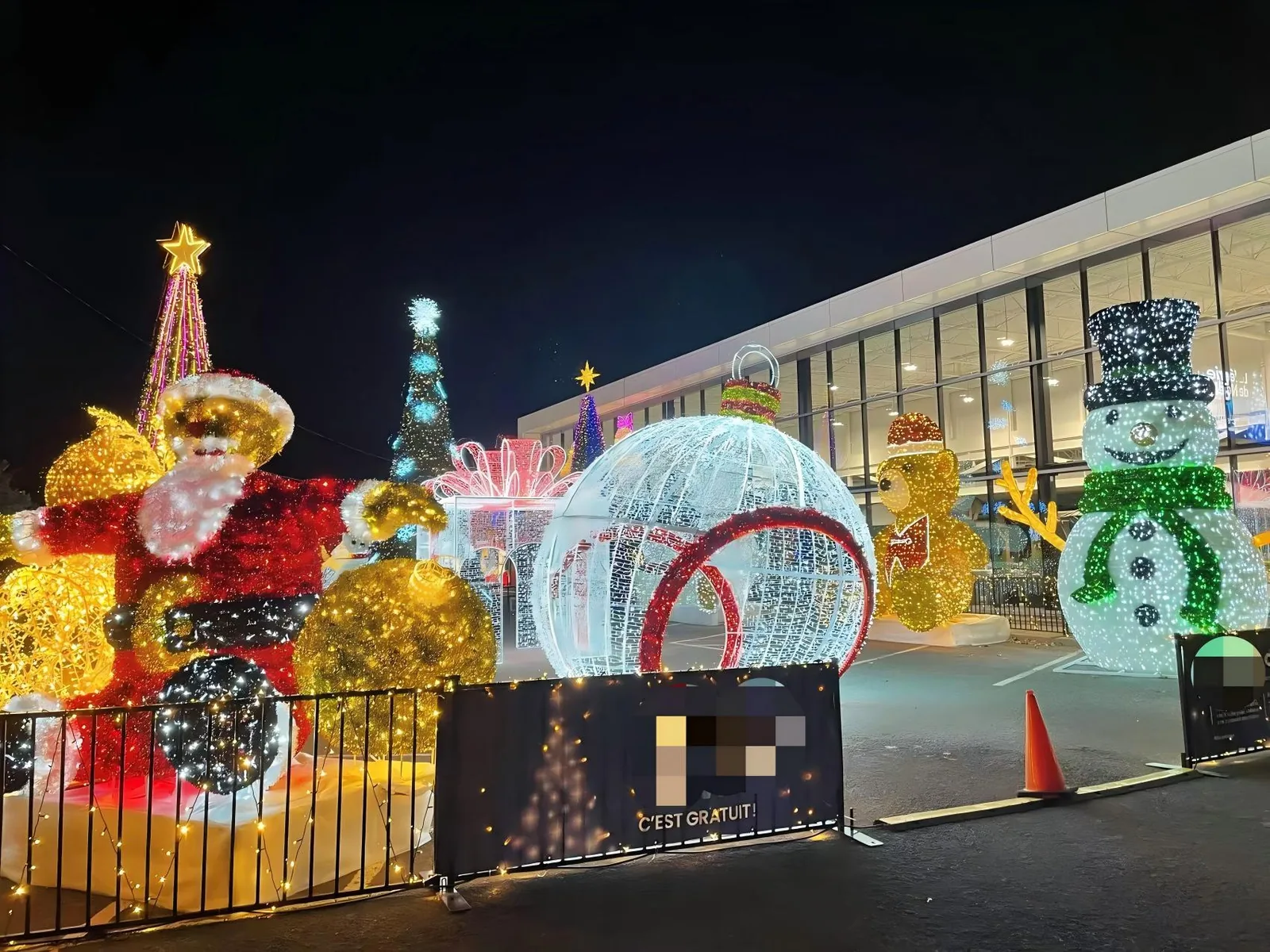
Before reviewing individual decorations, write a short statement about what should remain recognizable next season. A hotel may want to preserve a familiar lobby focal point while making the arrival sequence feel more coherent. A mall may want to retain a successful central tree composition while giving secondary positions a clearer supporting role.
Keep the statement practical. Describe the main visual memory, the positions that matter and anything that must change. Do not begin with “replace everything” or “use everything again.” Both conclusions skip the review.
Ask three questions:
- What should returning visitors still recognize?
- Which part of the display currently feels incomplete, disconnected or no longer aligned with the approved direction?
- What must the next-season arrangement do that the current one does not?
These questions define the update. They do not decide which product to buy, redesign the whole property or promise a commercial result.
Walk the Current Display Before Selecting New Products
Review the display from the positions where people actually encounter it. Begin at the main approach, then check the primary focal point and the supporting elements around it. For a hotel, that may mean the exterior arrival, entrance and lobby view. For a mall, it may include an entrance view, atrium approach and the sightline toward an anchor feature.
This is not a new zone-planning exercise. Use the existing positions to understand what each element currently contributes. If the location or function will change next season, mark that change rather than treating last season’s placement as fixed.
Use Current Night and Day Photographs
Take a straight-on photograph of every major element in its current or most recent setup. Add a wider view that shows its relationship to nearby decorations and architecture. If daytime appearance matters, include an unlit view as well.
Photographs can record visible form, brightness relationships, gaps and visual overlap. They cannot establish hidden condition, product identity, dimensions, electrical status, structural suitability or remaining life. Keep measured references and current documents beside the images rather than trying to infer them from perspective.
Ask the People Who Operated the Display
Invite the property, event or facilities team to record what they directly observed during the season. Useful comments may include whether an element was repeatedly moved, whether its position interfered with another approved use, whether its visual effect disappeared from the main approach, or whether an unresolved question was carried forward.
Record observations as observations. Do not convert a staff comment into a technical diagnosis. If a concern involves condition, electrical, structural, attachment, access or destination requirements, route it to the responsible qualified party with the exact item and site information.
Give Every Existing Element One of Four Outcomes
The four outcomes are simple enough to support a real conversation, but each needs a clear meaning.
KEEP
Use KEEP when the element still has a defined role in the approved next-season concept and the buyer has enough current information for the responsible parties to carry that decision forward. Keeping an item is not the same as declaring it safe, compliant or ready to install. Those determinations remain separate.
A KEEP decision should name the same element, intended position and visual role. If any of those changes, reopen the review. “We used it last year” is history, not a complete reason to keep it.
التحقق
Use VERIFY when the item may still serve a useful role but a decision depends on missing or outdated information. The gap could involve exact identity, current condition evidence, dimensions, lighting or control information, interface with another element, destination requirements, or the party responsible for the next decision.
VERIFY does not mean the item has failed. It prevents the team from making a confident KEEP or REPLACE decision without the required answer. State one precise question, name who should answer it and set the next review point.
REPLACE
Use REPLACE when the buyer has a clear, documented reason not to carry an element into the planned role. The reason may be visual: the form no longer supports the approved direction, its scale is wrong for a changed position, or it duplicates another feature without adding value. It may also follow a separate responsible-party decision based on exact product and site evidence.
Do not publish or circulate an invented fault description. If condition or suitability has not been assessed, keep that issue under VERIFY. A replacement decision does not prove that the previous item was unsafe, defective or at the end of its life.
ADD
Use ADD when the review identifies a specific missing role rather than a general wish for “more decoration.” Examples might include a weak transition between two retained features, an entrance that lacks a clear visual cue, or a supporting position that does not connect with the main composition.
Describe the role before naming a product family. This makes it possible to compare a limited set of candidates against the same need. An ADD decision is not permission to change the whole property plan, block access, or assume a new item will fit or integrate with the existing display.
Use a Compact Update Table
One page is usually enough for the first decision round. Copy this table and create one row for each major existing element or identified gap.
| Existing element or gap | Current position | Current visual role | Current visible evidence | Records available | Missing question | Next-season intent | Outcome | Next action and owner |
|---|---|---|---|---|---|---|---|---|
[controlled name, photo or product reference] |
[buyer-confirmed position] |
[anchor / entrance cue / supporting form / connector / other] |
[current night/day photographs and direct observations] |
[identity, dimensions, drawings, prior scope or other current records] |
[one exact unanswered question] |
[same role / changed role / remove / fill a gap] |
[KEEP / VERIFY / REPLACE / ADD] |
[evidence request or candidate discussion + named owner] |
Do not fill the row with assumptions. If the exact element is unclear, start with VERIFY. If a gap is real but the product form is not yet chosen, record ADD and describe the missing role without inventing a specification.
The table is a decision aid, not an inspection certificate, repair order, design approval or contract document. Keep technical and destination conclusions with the parties responsible for those decisions.
Review by Display Role, Not Only by Object Type

An existing display often makes more sense when each element is described by the work it does visually.
Anchor feature. This is the composition people are most likely to recognize first. Keeping it may preserve continuity, but it can also reveal which supporting items have become visually disconnected.
Arrival or entrance cue. This helps the display become visible at the approach. Review whether it still points toward the intended experience without turning this article into an entrance-width or traffic-flow decision.
Supporting form. Smaller or secondary elements can repeat color, shape or light around the anchor. Ask whether each one still supports the whole or simply adds clutter.
Visual connector. A connector helps two retained positions feel related. It is a visual role, not an electrical connection or installation instruction.
Independent accent. Some elements work as separate moments. Keep them independent if that is the approved intent; do not force every item into one identical theme.
If the project needs a new property-wide register, ownership map or early planning structure, use the separate guide to commercial display zone planning. This page stays with the update of an already known display.
Make Replacement Decisions Without Inventing a Fault
Replacement is often easier to justify when the team separates a visual reason from an evidence issue.
A visual reason can be stated directly: the item no longer supports the approved theme, its visible scale does not work in the proposed position, the form competes with the anchor feature, or the buyer wants a different role next season. These are project decisions, not claims about product quality.
An evidence issue should be phrased as a question. Is the exact product identity known? Are current dimensions and configuration available? Has the responsible party assessed the item for the intended position and destination? Is the required interface information available for any retained neighboring element?
If those answers are missing, use VERIFY. Do not use REPLACE as a shortcut for uncertainty, and do not ask a new supplier to certify the undocumented condition of an unrelated existing item. A buyer may choose replacement after the responsible review, but this guide does not make that technical or commercial conclusion.
Add Only Where There Is a Defined Gap
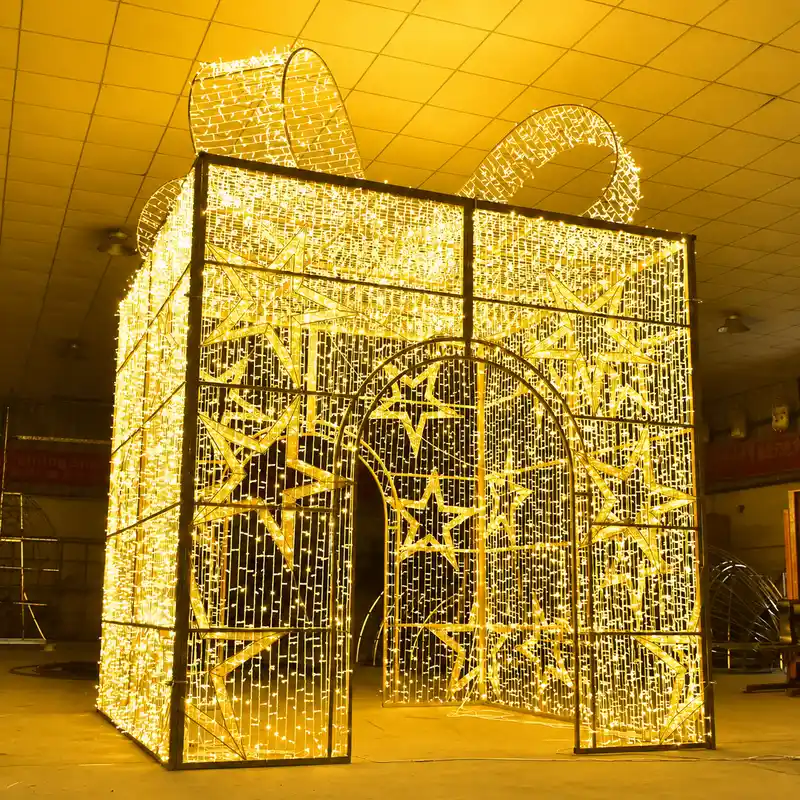
An addition should improve a named part of the next-season experience. Begin with the position, the missing visual role and the evidence the buyer already holds.
For example, the current anchor may remain, while a secondary approach lacks a visual connection to it. The buyer can define the desired relationship, current site view, available area and approved palette, then investigate a suitable product family. That is more useful than requesting “something large” or copying an item from an unrelated photograph.
Keep the addition provisional until the exact candidate, site conditions, dimensions, product information, interfaces, supply scope and responsible-party reviews are available. This article does not recommend a tree, arch, sculpture, wreath or ornament for an unidentified position.
Buyers who need a higher-level view of available families can route to حلول تجارية لزينة عيد الميلاد. Use that page for discovery, then bring the exact candidate back to the current update record.
Keep Old and New Elements Visually Coherent
A mixed display does not need every element to look identical. It does need an intentional relationship.
Compare the retained anchor and proposed addition in the same view. Check visible shape language, decorative density, lighting direction, color palette and the amount of visual separation between them. Review both illuminated and unlit states when both matter to the property.
If a lighting-technology question appears, do not answer it through appearance alone. Route it to the separate LED-versus-incandescent decision and confirm the exact products. This update guide does not declare two systems compatible or recommend an electrical change.
Use a simple mock-up with current site photographs and accurate candidate information. Mark it as a visual discussion image, not an installation drawing or proof of final scale. If the old element’s identity or dimensions are uncertain, resolve that gap before approving the relationship.
Keep Acquisition and Service Questions Separate
The display update may uncover a separate question about whether a new element should be rented or purchased. That is not the same as deciding whether an existing item should be kept or replaced. Use the rental-versus-purchase responsibility comparison for that decision, with normalized scope and buyer-held evidence.
Likewise, do not assume that the supplier of a new item will inspect, repair, refurbish, store, install or remove existing decorations. If the buyer needs any of those activities, record the requirement separately and confirm the responsible provider and scope. This article does not state that HYCLight offers those services.
Prepare a Focused Supplier Brief
Send a short package that lets a supplier discuss replacement or addition candidates without asking it to reconstruct the entire history of the display.
تتضمن:
- property type and the specific display position under discussion;
- a current overall night view and, where relevant, a daytime view;
- controlled photographs or references for each retained neighboring element;
- the current visual role of the element being reviewed;
- the proposed outcome: KEEP, VERIFY, REPLACE or ADD;
- the approved next-season intent and what should remain recognizable;
- buyer-confirmed available space and measured references;
- the exact question behind every VERIFY item;
- the missing visual role behind every ADD item;
- candidate links or forms already under consideration;
- known and missing product/interface information;
- requested supply-scope inclusions and exclusions;
- named owners for visual, technical, site and destination decisions.
For a REPLACE item, explain the buyer’s current reason without inventing a defect. For an ADD item, describe the gap before asking for a product. For a KEEP item, include only the surrounding information a supplier genuinely needs to understand the proposed relationship.
الأسئلة الشائعة
Should a mall or hotel replace its entire holiday display at once?
Not automatically. Review each major element against the approved next-season experience, current evidence and intended role. Keep what remains supported, verify unresolved items, replace for a documented reason and add only where a clear gap exists.
What if an existing decoration looks fine in photographs?
A photograph can show visible form and context, but not hidden condition, exact identity, dimensions, electrical status, structural suitability or remaining life. Use it as one reference and send unresolved technical or site questions to the responsible qualified party.
Can old and new commercial Christmas decorations be used together?
They can be considered together, but visual coordination does not prove product compatibility. Compare accurate candidates in the same view, then confirm exact interfaces, site conditions, supply scope and responsible-party decisions before treating the combination as approved.
Does VERIFY mean the existing item must be replaced?
No. VERIFY means a specific answer is missing. Name the question, evidence owner and next review point. The final outcome may be KEEP, REPLACE or a changed role, but this guide does not decide that without the required evidence.
Can HYCLight inspect, repair or refurbish an existing display?
Do not assume so from this guide. Describe the existing item, required activity, location and available records, then confirm the responsible provider and exact scope separately. The CTA below is limited to product-specific replacement or addition discussions.
Turn the Review into a Clear Next-Season Inquiry
A useful update does not erase the existing display or preserve it by habit. It identifies what still supports the next-season experience, what needs a precise answer, what has a documented reason to change and where a genuine gap remains.
Prepare the current display references, photographs, four outcomes, confirmed site inputs and unresolved questions, then send the update brief to HYCLight for a product-specific discussion about replacement or addition candidates. This does not promise inspection, repair, refurbishment, installation, a quotation, a response time, product availability, compatibility or a project result.